Teach Me
How to Share Teach Me Sessions with Team Members
Written By:
Overview
Teach Me sessions can be shared with teammates to ensure consistent training experiences.
Steps
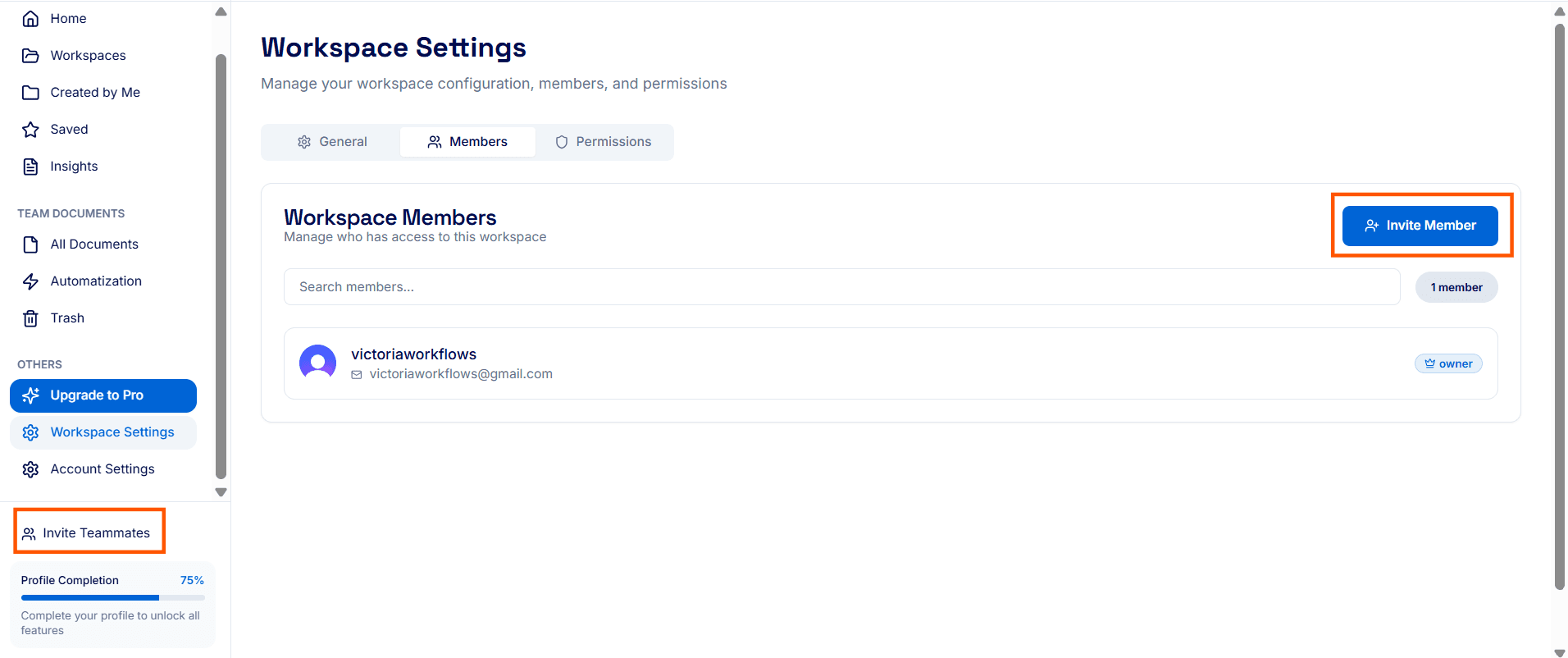
Step 1: Add Member to Workspace
Click on Invite Teammates, then select Invite Member.
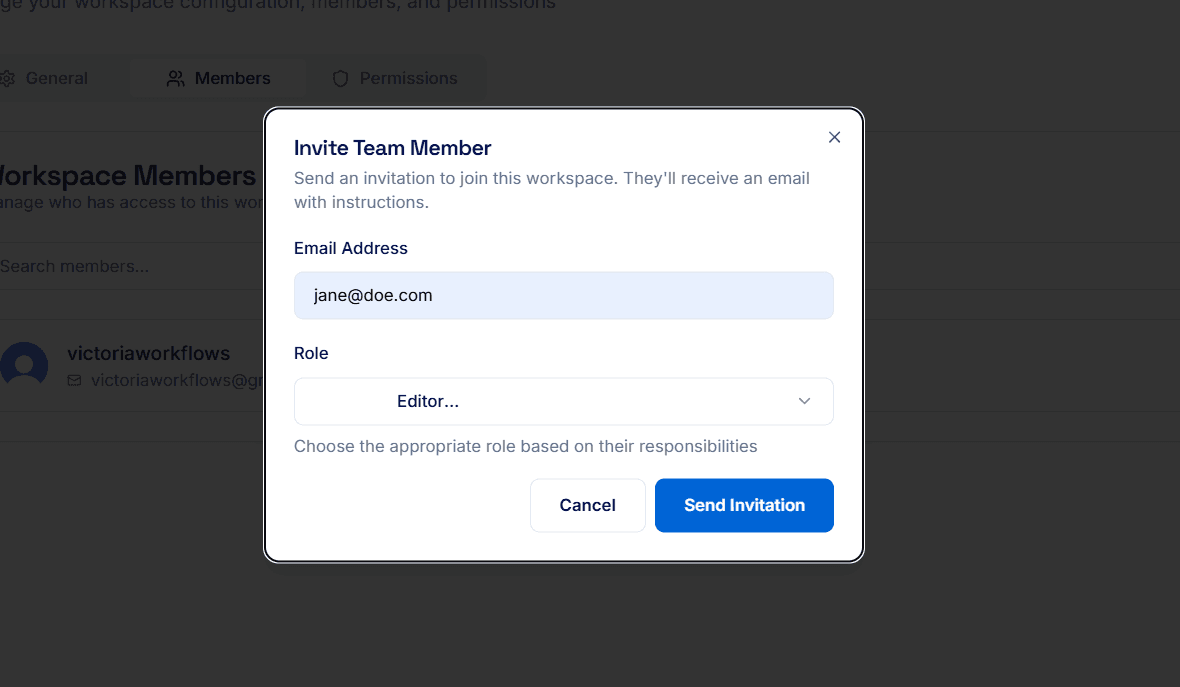
Step 2: Send Invite
Enter the team member’s details and send the invitation so they can join the workspace and access shared Teach Me sessions.
For Best Results
Ensure new users have Teach Me access rights.
