Automation
Understanding Automatizations in DocuFast
Written By:
Overview
An automation is a predefined sequence of steps that DocuFast executes in order when triggered.
Once run:
No additional confirmation is required
Each step runs automatically
Actions are applied consistently every time
Automatizations vs Teach Me in DocuFast
Feature | Automatizations (Run Now) | Teach Me |
|---|---|---|
Primary Purpose | Automatically executes a predefined workflow | Guides a user step by step through a process |
How It Works | Runs the recorded steps instantly when Run Now is clicked | Walks the user through each step interactively |
User Interaction | Minimal to none during execution | Active user participation is required |
Execution Style | Fully automated execution of steps | Manual completion with on-screen guidance |
Best For | Repeating the same process quickly and consistently | Training, onboarding, and learning a process |
Speed | Fast — steps are executed immediately | Slower — paced to the user’s actions |
Consistency | Always follows the exact recorded steps | May vary slightly based on user actions |
Error Reduction | High — reduces human error | Moderate — depends on user execution |
Typical Use Cases | System setup, recurring configurations, routine operations | Employee training, new process adoption, and knowledge transfer |
Where to Find Automatizations
Automatizations can be accessed in two main places:
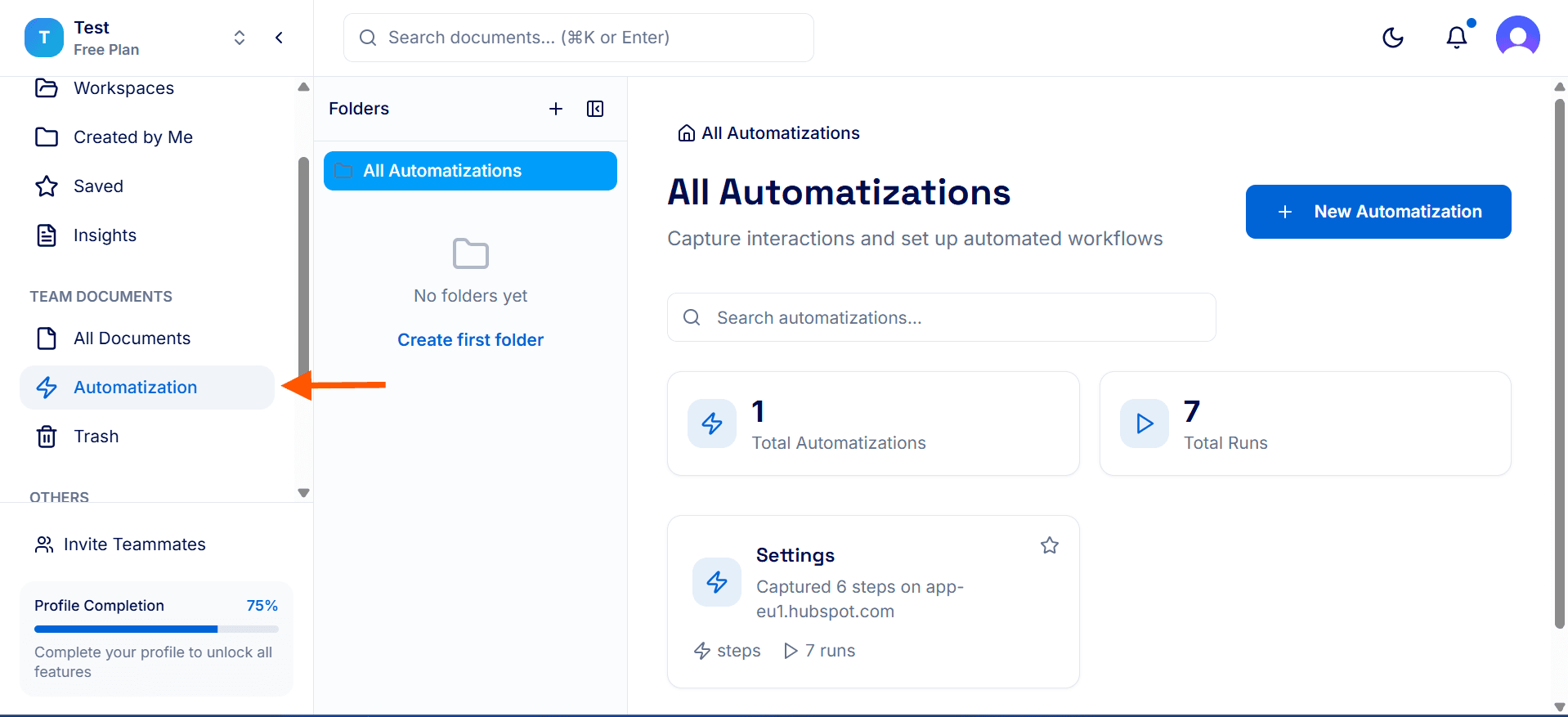
DocuFast Dashboard
Click on automatization to see all available automated workflows at a glance
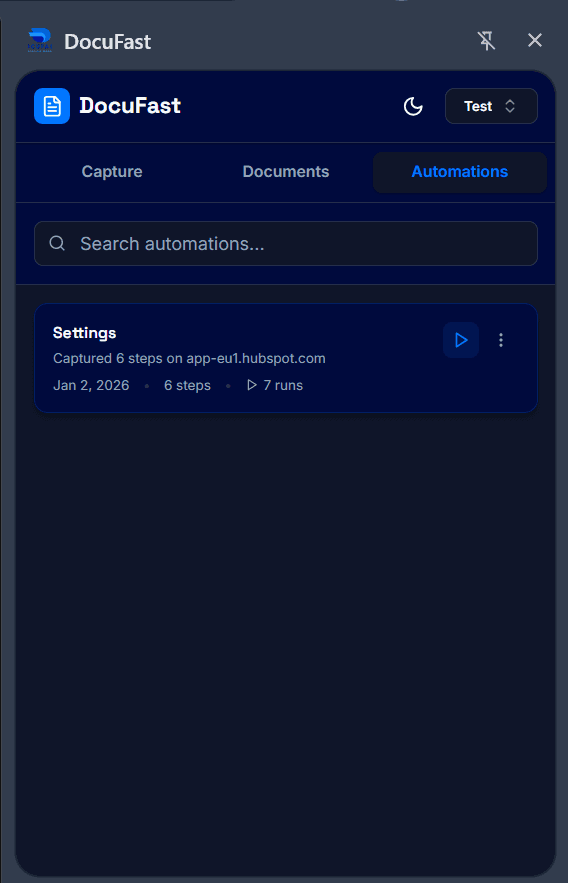
In the Side Panel
You can also access all your automations in the side panel by selecting the Automations tab.