Collaborating
Sending Guides for Review
Written By:
Overview
Sending guides for review is a key step in ensuring your documents are accurate, complete, and ready for their intended audience. Whether the review is internal, cross-team, or external, DocuFast helps you streamline the process by keeping all feedback centralized and aligned with the original document.
Stakeholders can access the latest version of the guide, review it according to their role, and provide input that your team can incorporate in a controlled manner. Sending guides for review ensures that:
Information is accurate and up to date
Teams are aligned before a guide is widely shared
Errors are caught early, reducing repeated updates later
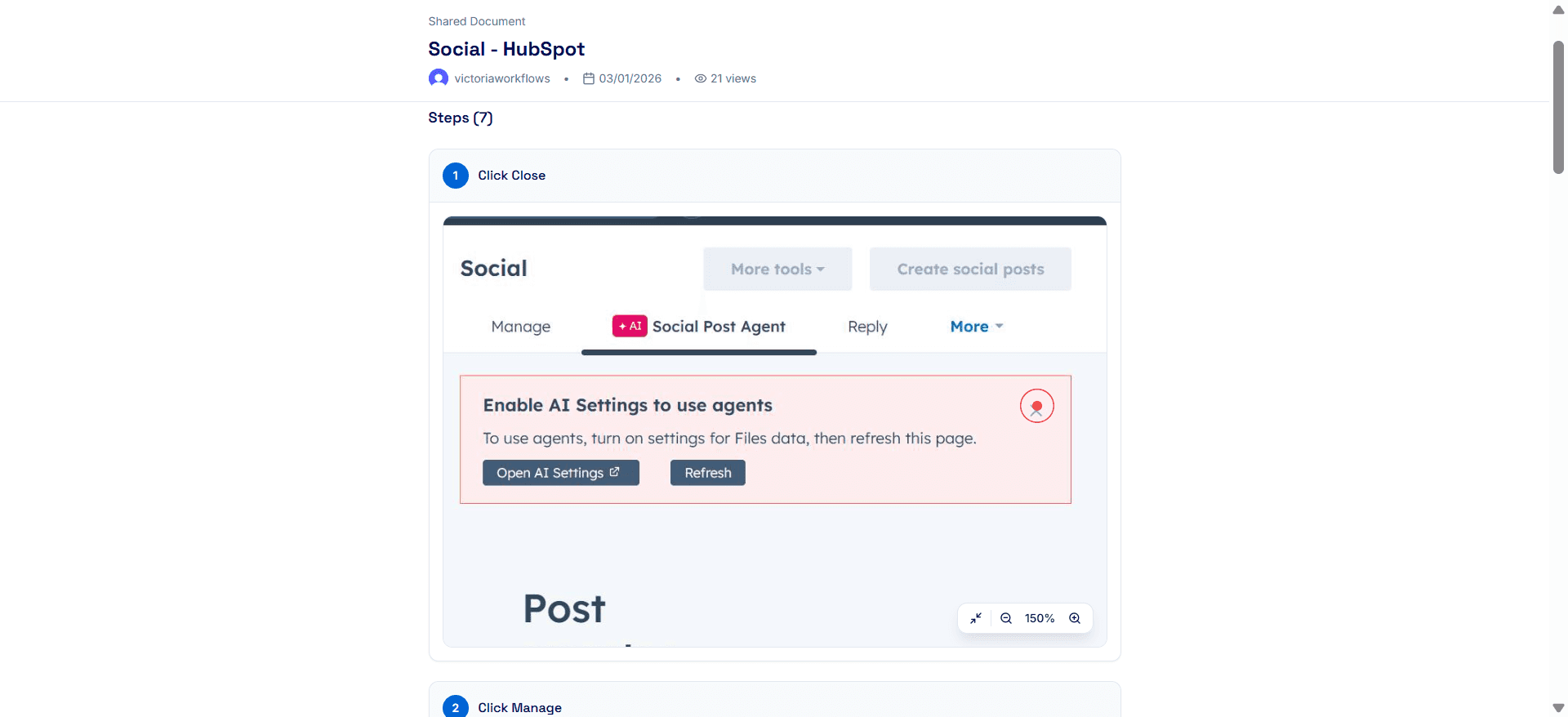
Who Should Review the Guide
Choose reviewers based on their involvement with the process:
Team members who perform the workflow regularly
Subject matter experts who understand the workflow
Admins or leads responsible for compliance or accuracy
When to Send a Guide for Review
Guides should be sent for review whenever accuracy, clarity, or approval is essential. Common scenarios include:
Internal team reviews: Check for accuracy or completeness.
Cross-department reviews: Ensure compliance, alignment, and adherence to organizational standards.
External stakeholder reviews: Obtain client, vendor, or partner input.
How to Send a Guide for Review in DocuFast
Sending a guide for review in DocuFast depends on who is reviewing and what level of access they need. Always choose the simplest access level that allows reviewers to do their job without risking unwanted changes.
Internal Team Reviewers
For teammates within your team or department:
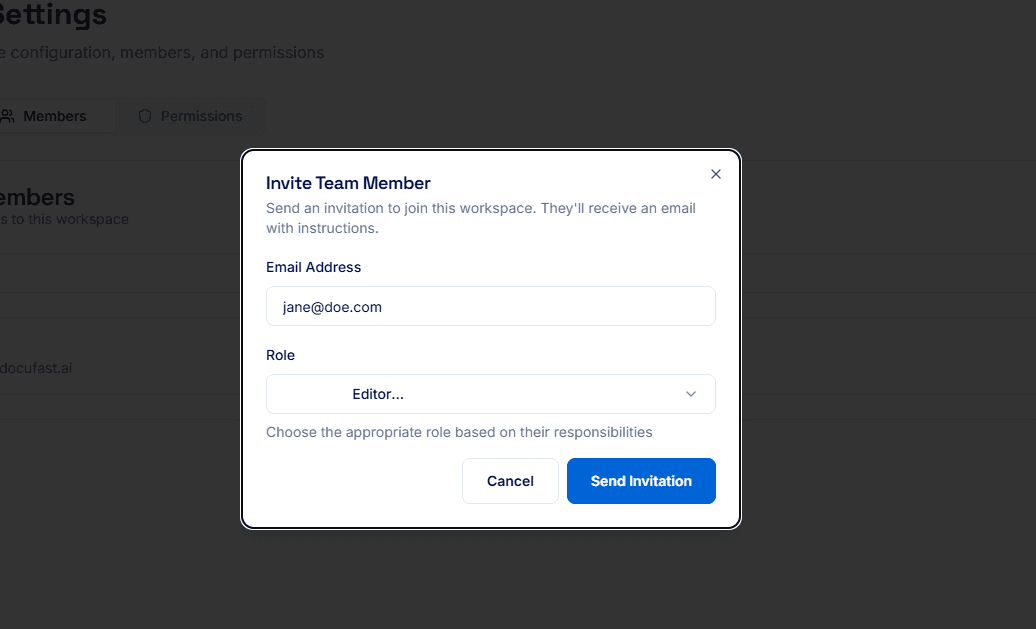
If they only need to read and validate the content, send a shareable link with public access or add them to the workspace and grant Viewer access.
If they need to update steps, fix errors, or add content, add them to your workspace and grant Editor or Admin access as required.
Cross-Department Reviewers
When sending guides to reviewers in other departments:
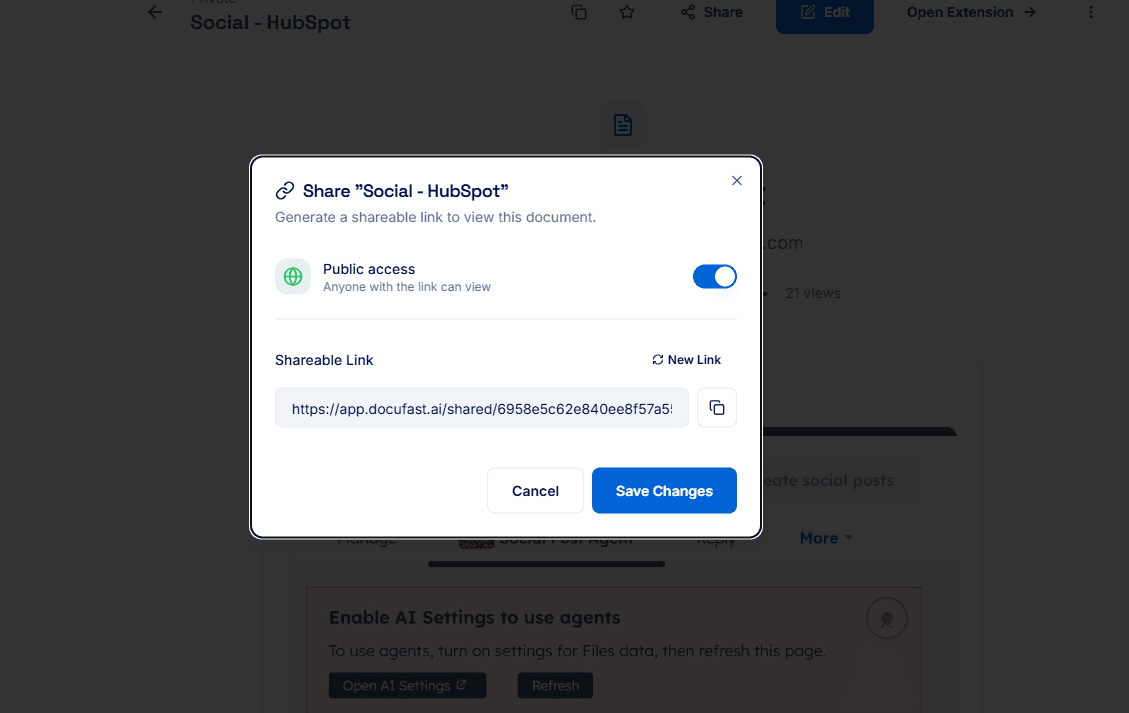
Use a shareable link if they are only reviewing for accuracy, clarity, or alignment.
Add them to the workspace only if they need to directly update or maintain the guide.
Clearly communicate what kind of review is expected to avoid unnecessary edits or confusion.
Cross-department reviews are most effective when access is limited to what is strictly needed.
External Stakeholders
For clients, partners, or external collaborators:
Always use a shareable link.
External reviewers should have view-only access unless there is a clear business reason to grant workspace access.
Best Practice
Before sending a guide for review, confirm:
Who the reviewers are
What level of access they need
Whether they are expected to review only or also update the guide
