Share
Tracking Shared Guides Insights
Written By:
Overview
DocuFast provides insights at both individual and team levels, allowing you to track engagement, completion, and overall usage across all shared guides. You get a total view of how your documentation is performing.
These insights help you:
Understand overall engagement with your shared guides.
Identify whether team members are completing workflows.
Measure the adoption and effectiveness of documentation across your team.
Steps
Step 1: Open the Insights Dashboard
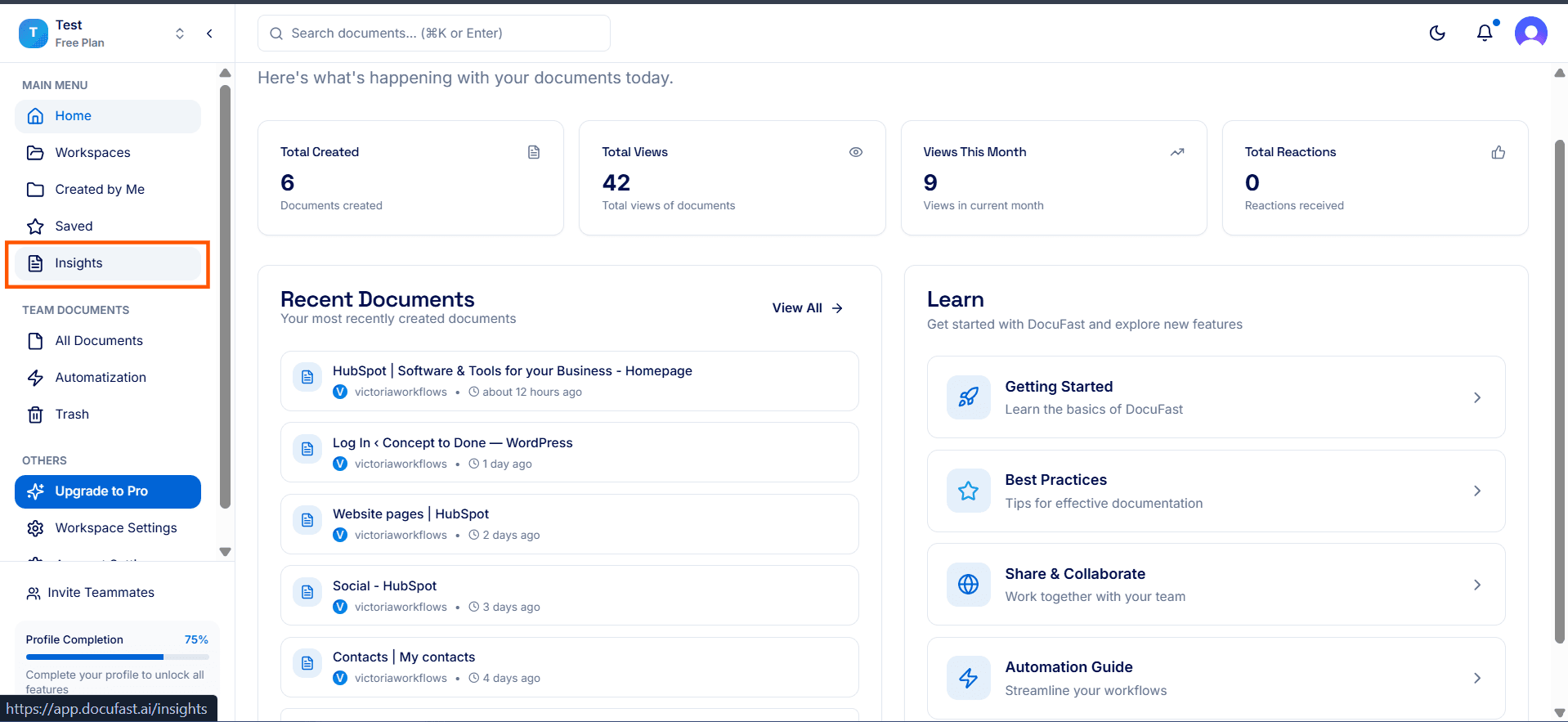
Click Insights from your DocuFast dashboard.
Step 2: Adjust the Date Range
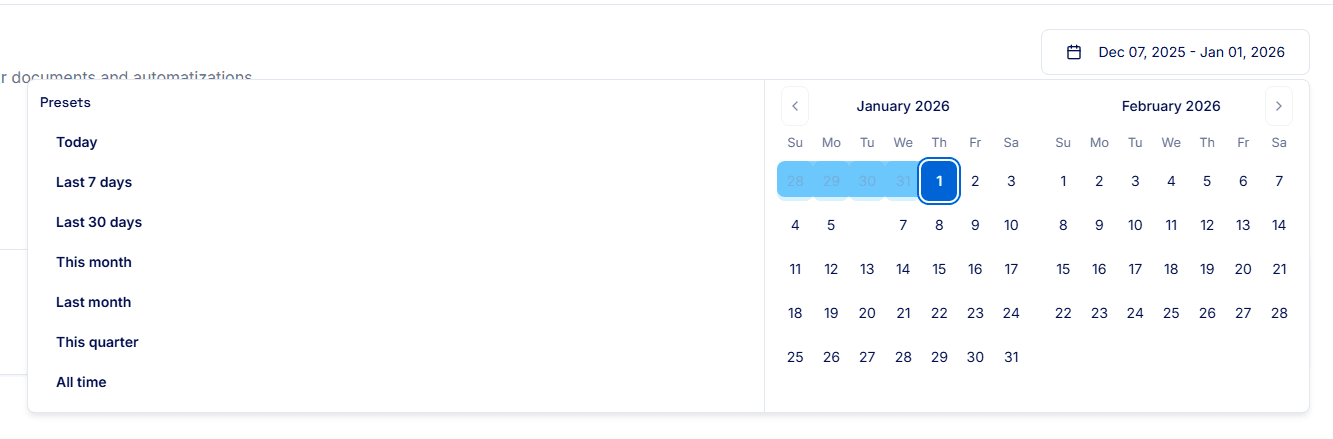
Use the date filter at the top of the Insights dashboard to focus on a specific period.
Choose a custom date range or select from preset options (e.g., Last 7 days, Last 30 days, This Month, etc) to view metrics for that timeframe.
Step 3: Review Your Total Metrics
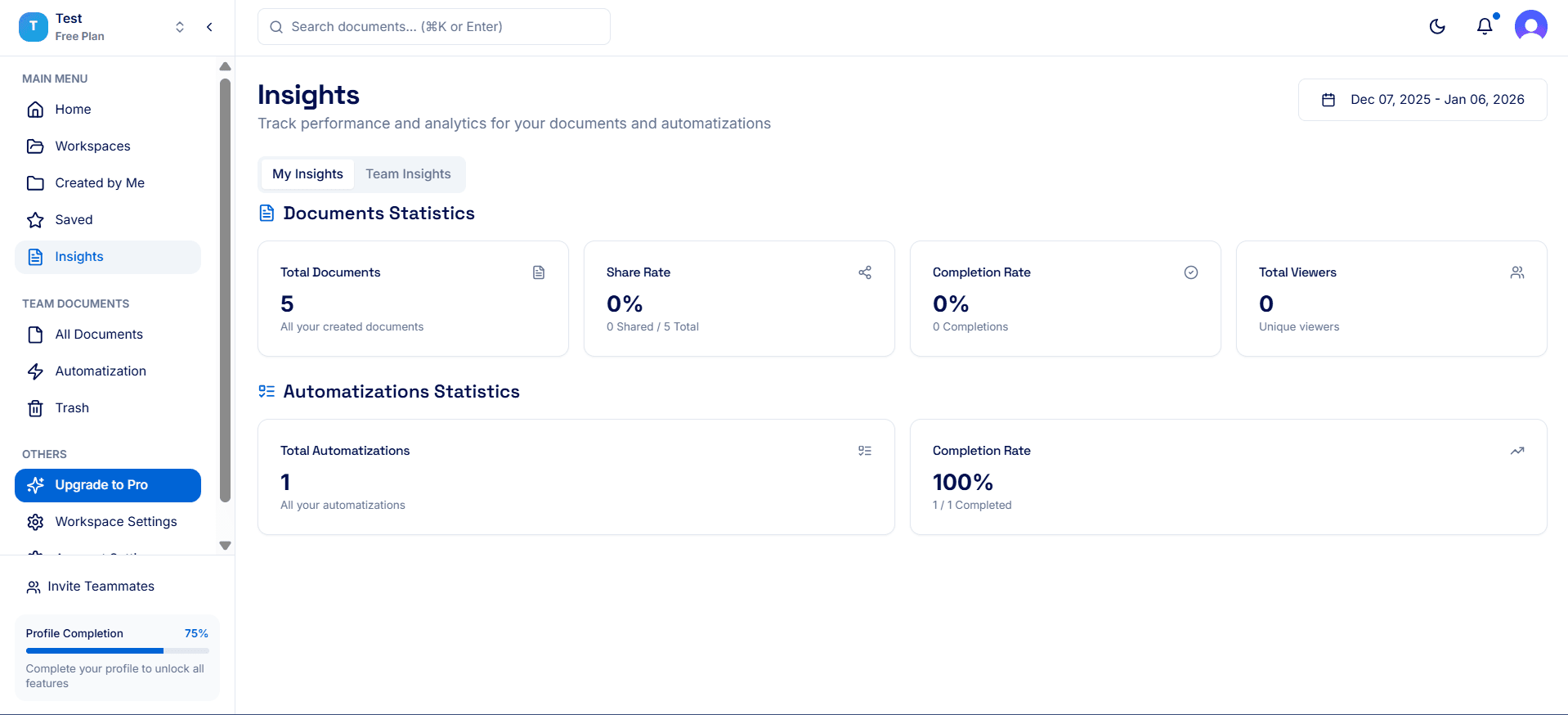
Total Documents: The total number of documents you created.
Share Rate: The percentage of guides that have been shared versus created.
Completion Rate: The percentage of viewers who completed the workflows in your shared guides.
Total Viewers: The total number of people who have accessed your guides.
Check My Insights
View your own metrics to see how your guides are performing overall.
Check Team Insights
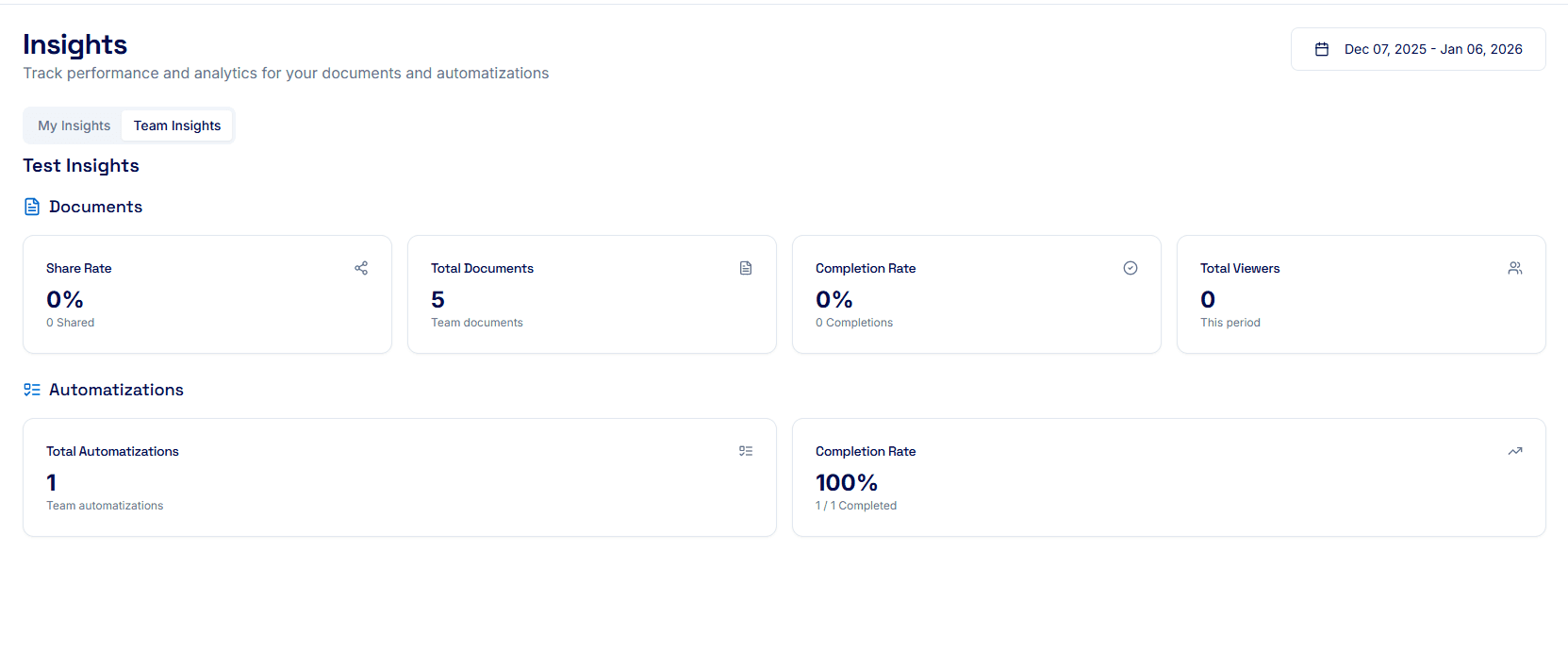
Team insights show aggregated data across all team-shared guides, giving a snapshot of overall engagement and completion.
Step 4: Take Action
If total completion is low, review guides for clarity.
Encourage team members to complete shared workflows fully.
Update guides if metrics suggest confusion or incomplete engagement.
Tips for Best Results
Use insights as a big-picture measure, rather than looking for per-guide details.
Combine total metrics with feedback to pinpoint areas that need improvement.
Monitor regularly to track adoption trends over time.
