How to Share a Document
Written By:
Last Updated on May 21, 2026
Overview
DocuFast makes it easy to share your documents without exporting files. You can control who can access your document, generate a shareable link, and update access at any time.
Steps
Step 1: Open Sharing Options
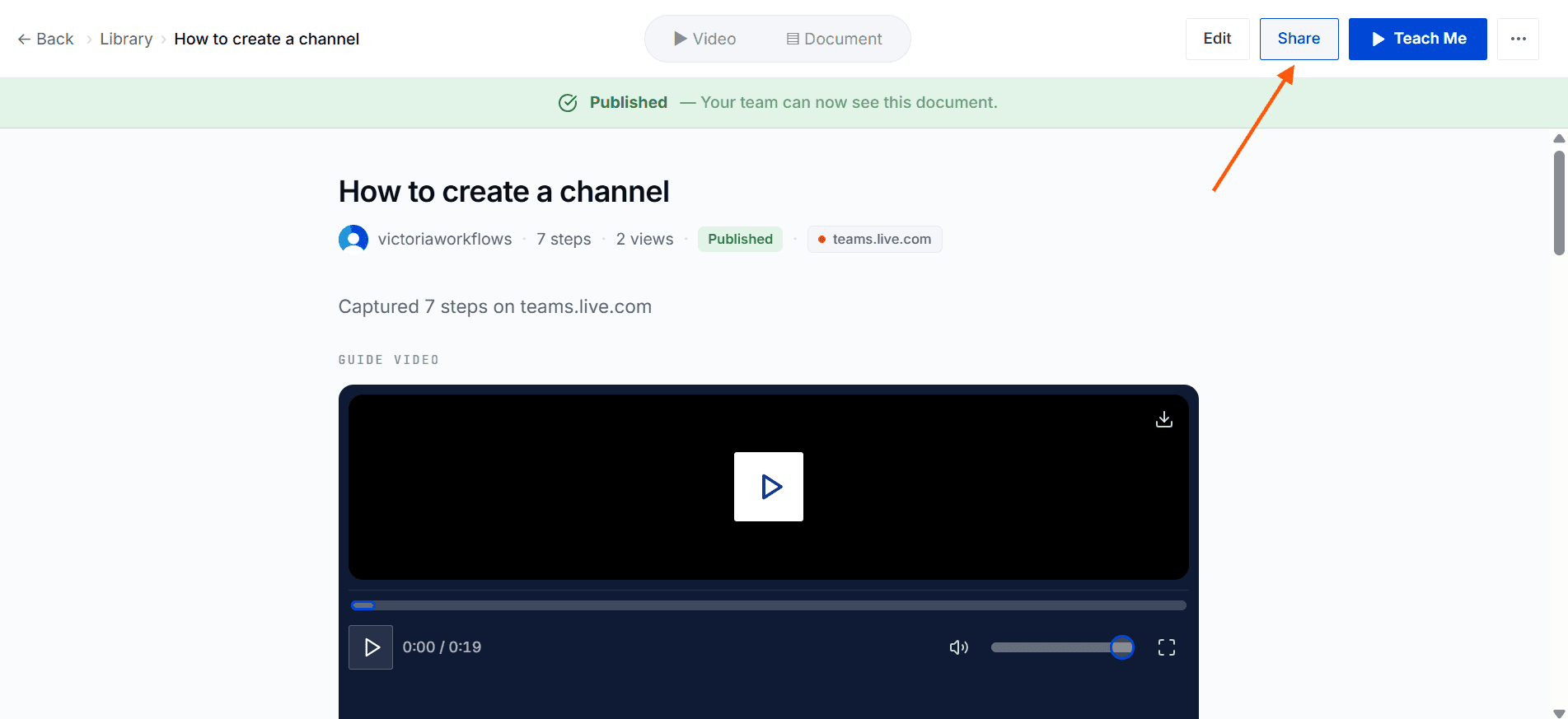
At the top of the document, click the Share button. This opens the sharing panel.
Step 2: Enable Access
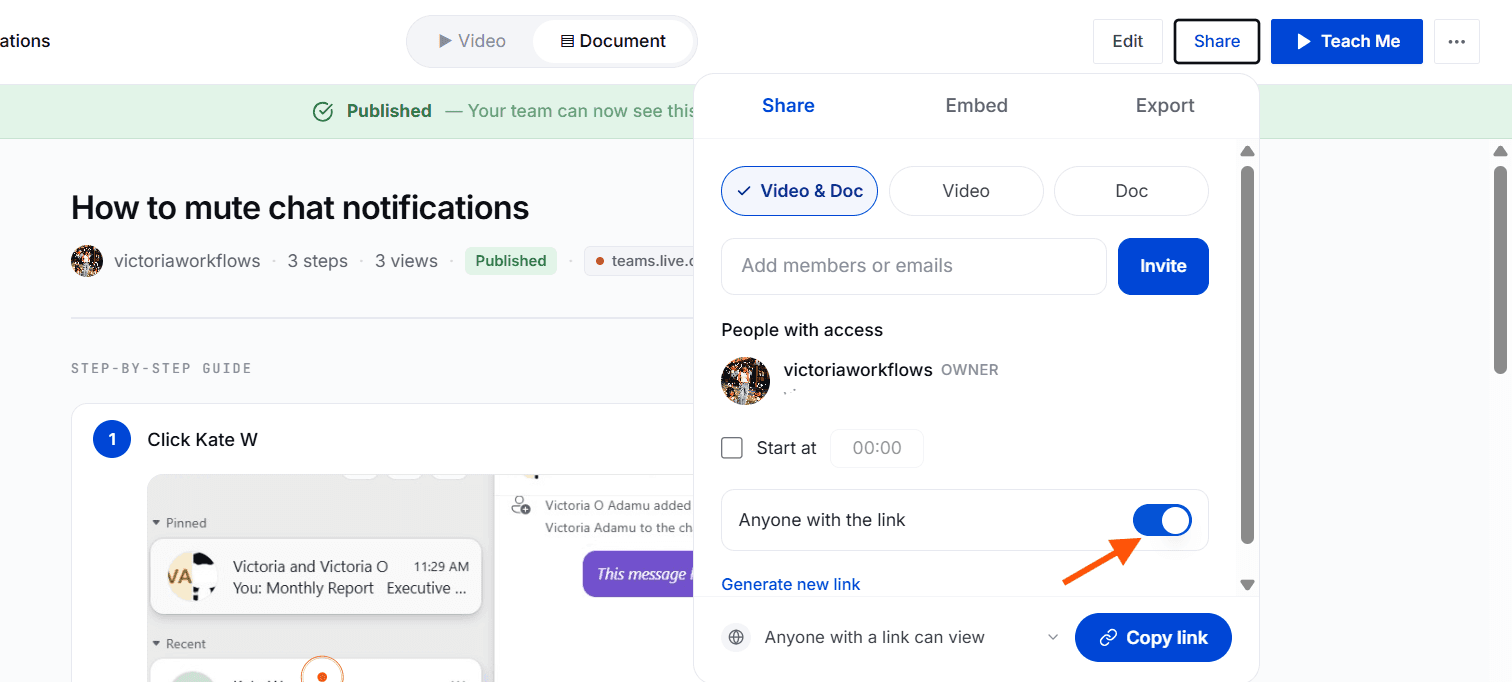
Toggle the Anyone with the link option to grant public access.
Step 3: Copy and Send Link
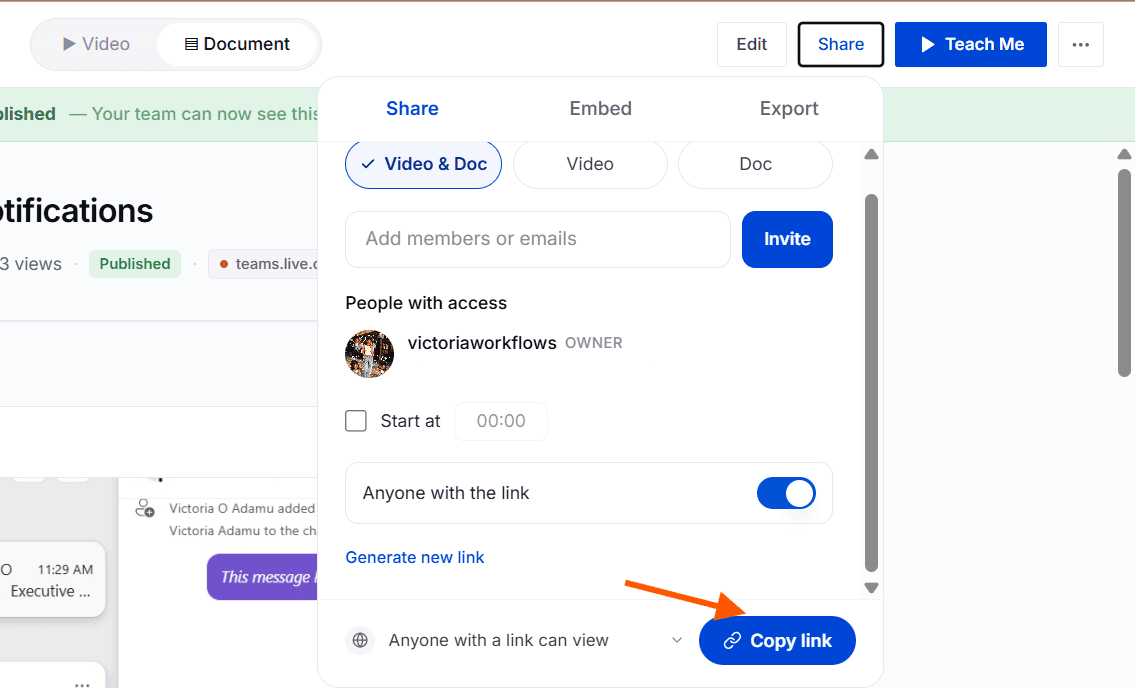
Click the Copy link button to copy the shareable link. You can now send this link to teammates or external users.
Managing Shared Access
You can disable access at any time by toggling the Anyone with the link option off
Changes take effect immediately after toggling off or on
Always confirm access settings before sharing externally
Tips for Best Results
Review the document before sharing
Use sharing for collaboration, onboarding, or training
Disable access once the document is no longer needed externally
