Getting Started
Capture
Edit
Share
Teach Me
" transform="translate(3 3)" width="10px"/></svg>)
Teach Me
How to Share Teach Me Sessions with Team Members
Teach Me sessions can be easily shared with team members to ensure everyone follows the same guided process.
Overview
Teach Me sessions can be shared with teammates to ensure consistent training experiences.
Steps
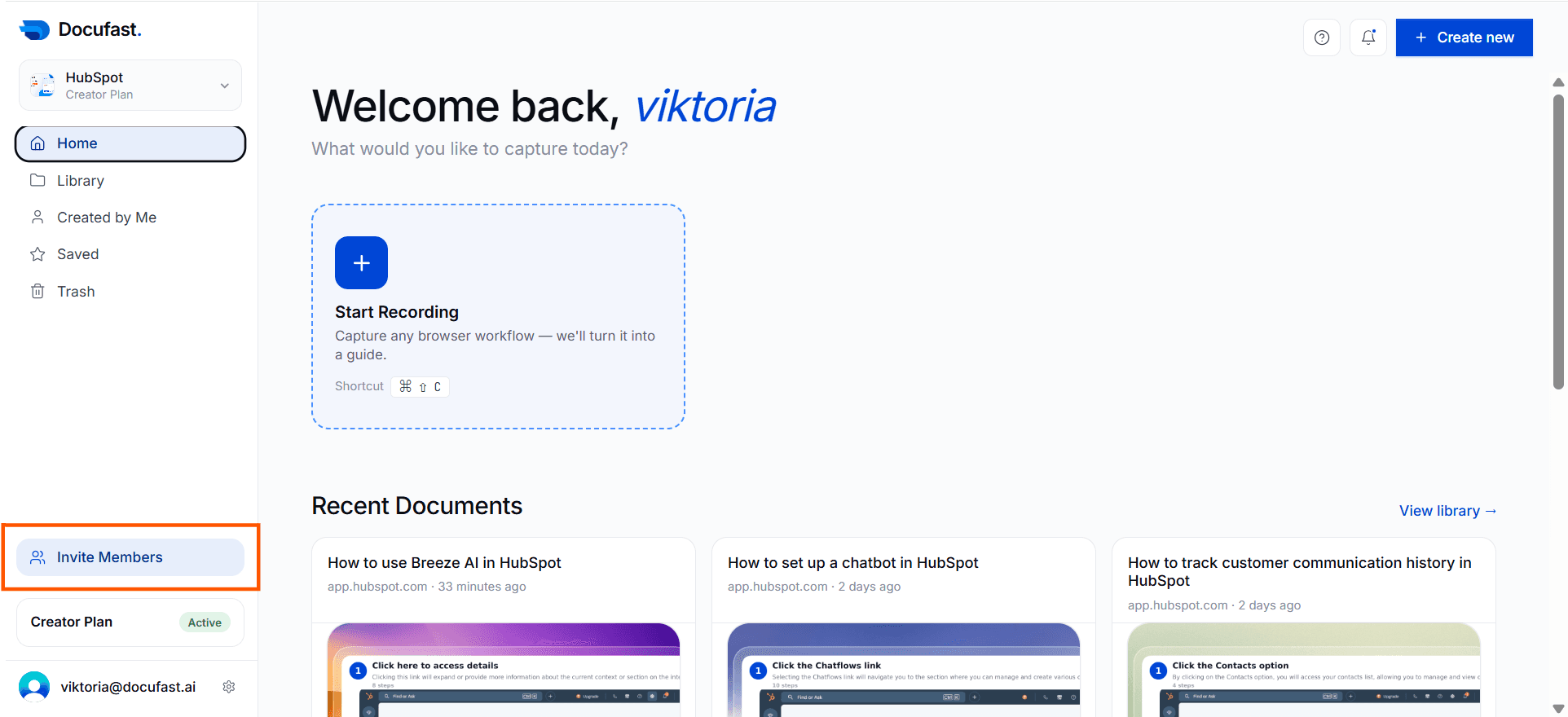
Step 1: Add Member to Workspace
Click on Invite Members.
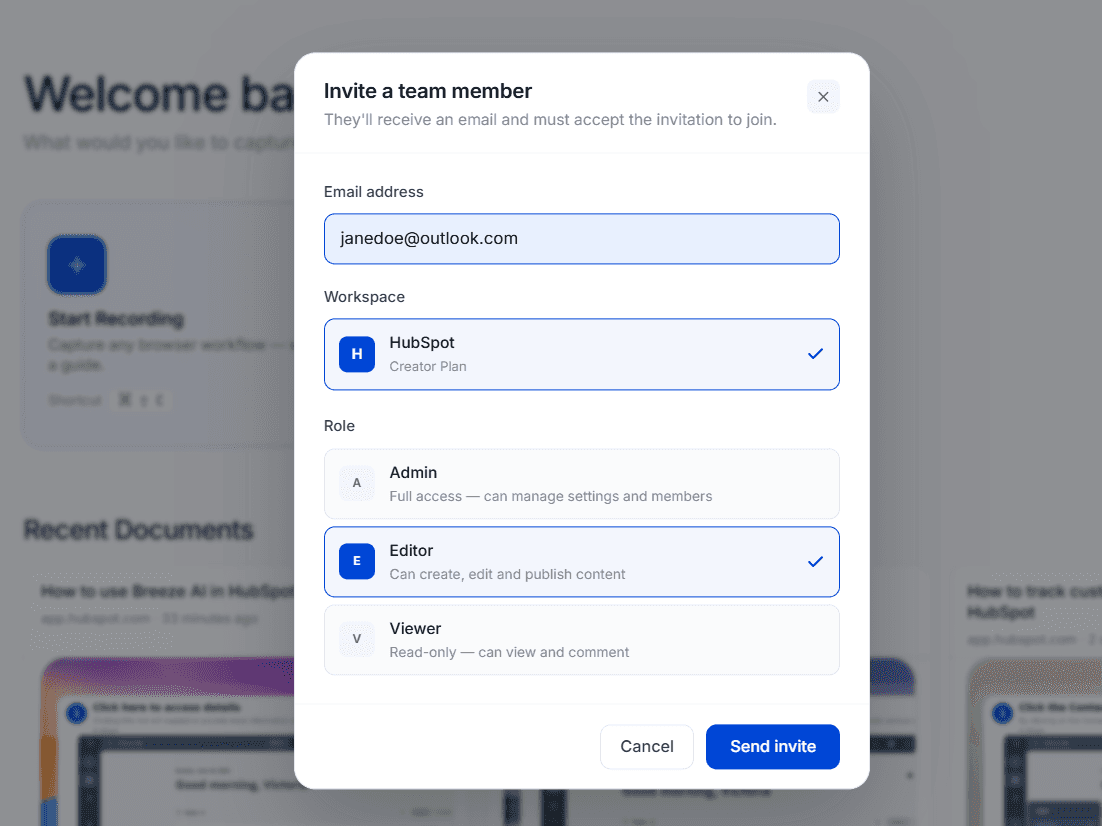
Step 2: Send Invite
Enter the team member’s email address and send the invitation so they can join the workspace and access shared Teach Me sessions.
For Best Results
Ensure new users have Teach Me access rights.

Capture knowledge. Unlock potential.
Empower your teams to share knowledge, find answers, and continuously improve how work gets done.
Capture knowledge. Unlock potential.
Empower your teams to share knowledge, find answers, and continuously improve how work gets done.
Capture knowledge. Unlock potential.
Empower your teams to share knowledge, find answers, and continuously improve how work gets done.

Use Cases
Resources
Company
Legal & Security
© 2026 Docufast Technologies Limited. All rights reserved.
Use Cases
Resources
Company
Legal & Security
© 2026 Docufast Technologies Limited. All rights reserved.
Use Cases
Resources
Company
Legal & Security
© 2026 Docufast Technologies Limited. All rights reserved.