Teach Me

How to Edit or Update a Teach Me Guide

Make quick updates to your Teach Me guide to ensure users always have the most up-to-date instructions

Overview

Teach Me guides can be updated if the underlying process changes or new steps are added.

Steps

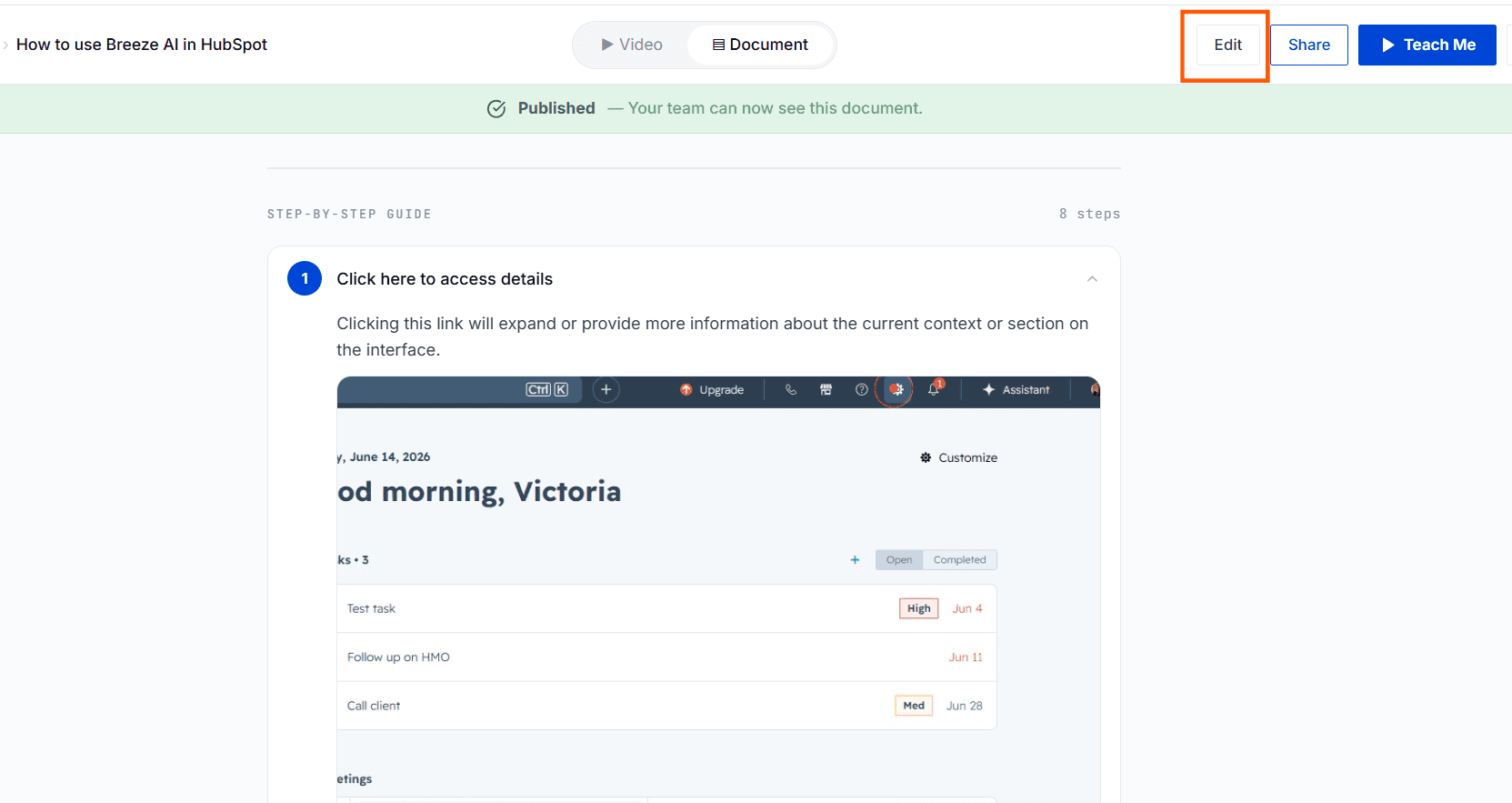
Step 1: Open Guide in Edit Mode

Click the 'Edit' option for the selected guide.
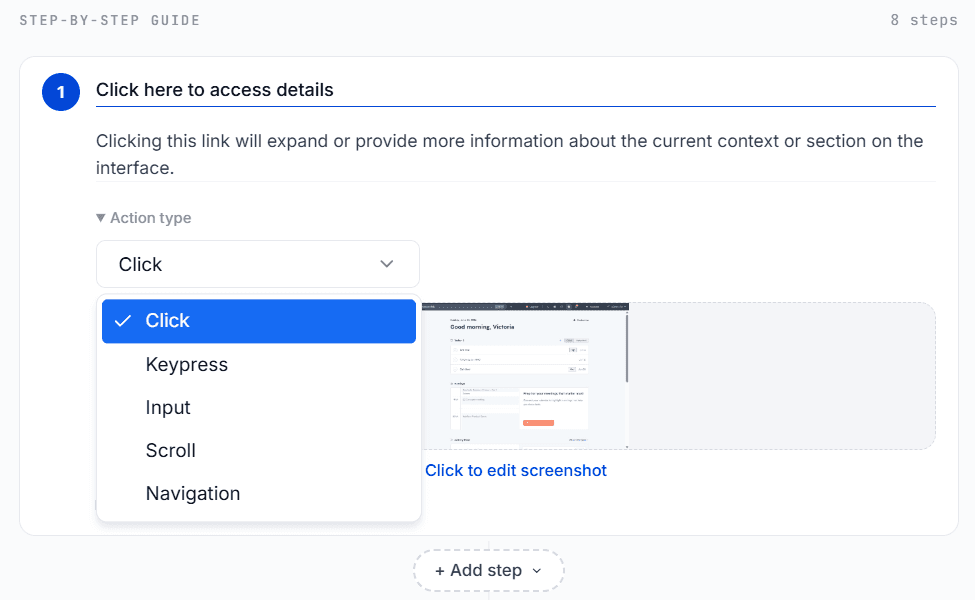
Step 2: Modify Steps

Add, remove, or rearrange the steps.

Step 3: Update Actions and Instructions

Edit text for each step to reflect current process details.
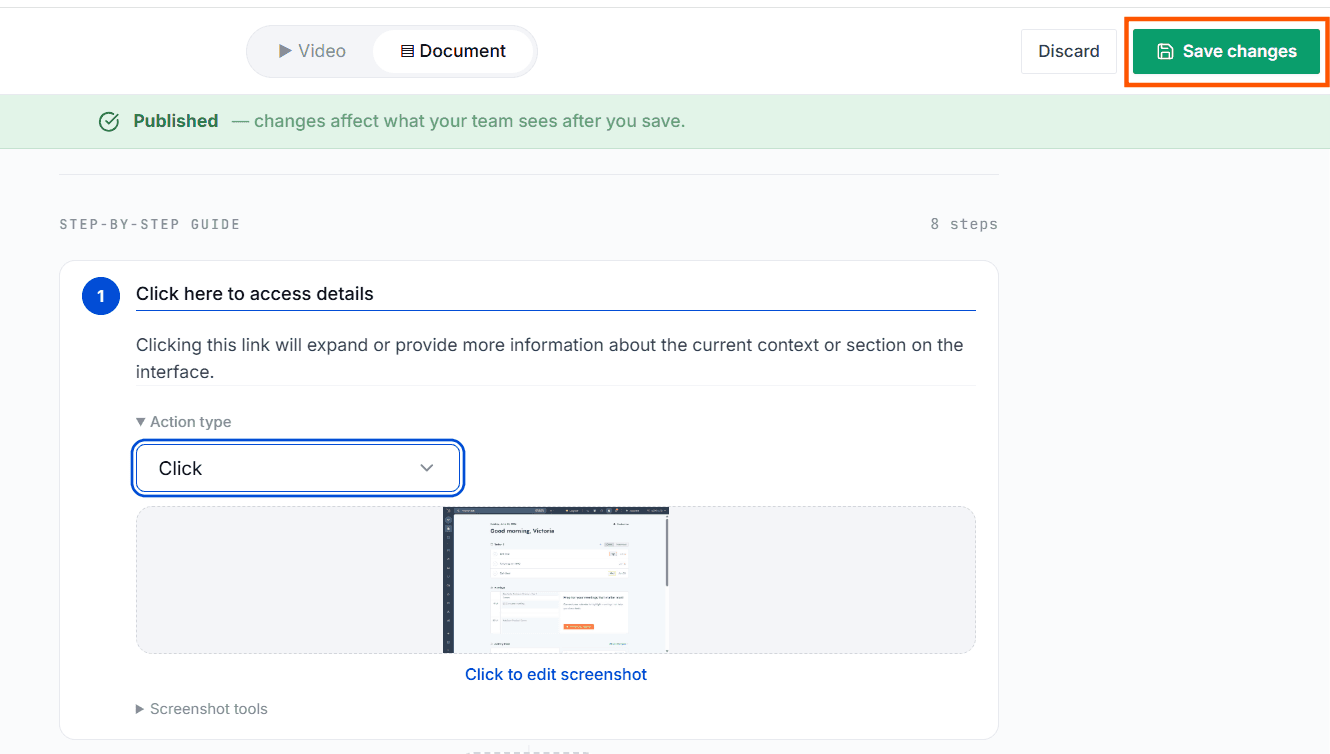
Step 4: Save Changes

Click Save Changes to update the guide.
Tips for Best Results

  • Always review new steps for accuracy.

  • Use clear language in your instructions.

Capture knowledge. Unlock potential.

Empower your teams to share knowledge, find answers, and continuously improve how work gets done.

Capture knowledge. Unlock potential.

Empower your teams to share knowledge, find answers, and continuously improve how work gets done.

Capture knowledge. Unlock potential.

Empower your teams to share knowledge, find answers, and continuously improve how work gets done.

Logo

Get Docufast

Product

Solutions

Use Cases

Resources

Alternatives

Company

Legal & Security

© 2026 Docufast Technologies Limited. All rights reserved.

Logo

Get Docufast

Product

Solutions

Use Cases

Resources

Alternatives

Company

Legal & Security

© 2026 Docufast Technologies Limited. All rights reserved.

Logo

Get Docufast

Product

Solutions

Use Cases

Resources

Alternatives

Company

Legal & Security

© 2026 Docufast Technologies Limited. All rights reserved.